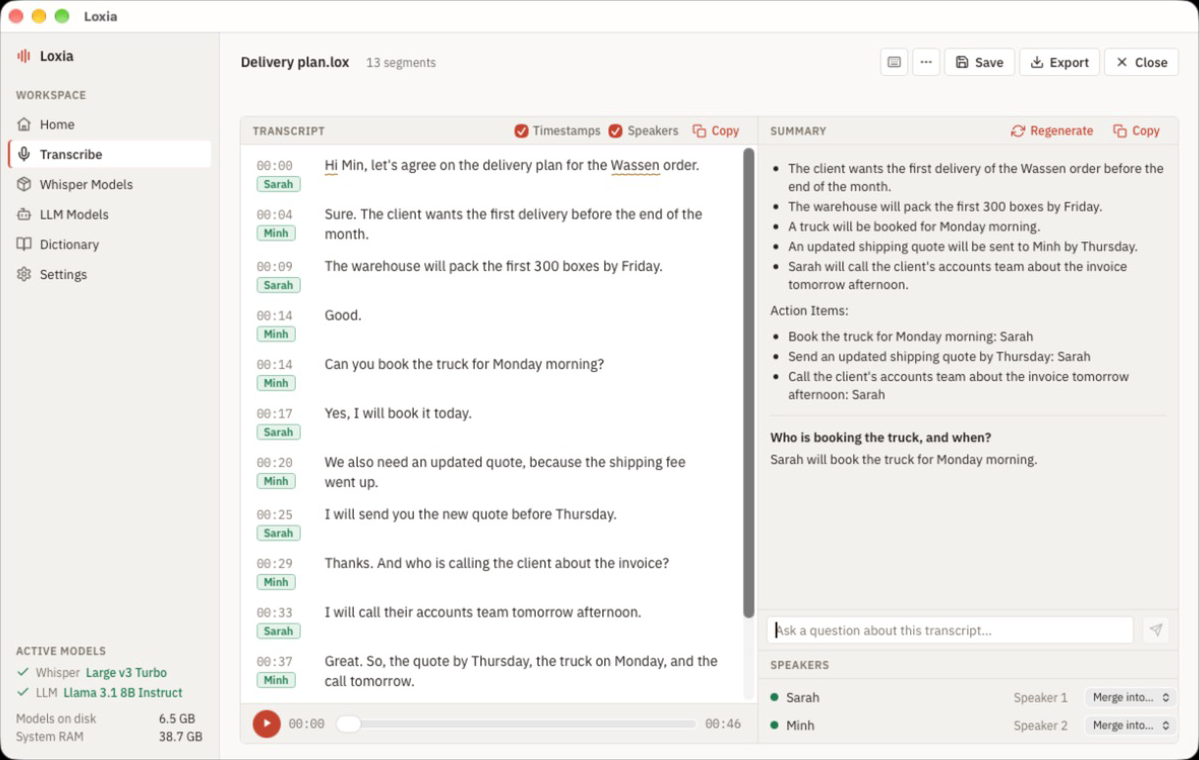
Loxia is a desktop app I built that turns a meeting recording into text, on your own computer. It handles Vietnamese, English, or both mixed in the same recording. You drop in an audio or video file (MP3, WAV, M4A, FLAC, MP4, MOV, MKV, WebM) and get a transcript you can play back from any line, edit, and export as .srt, .txt, or .pdf. It’s free, there’s no account, and it’s at loxia.dev.
Why it runs locally
Loxia never uploads your recordings, transcripts, or summaries. It transcribes with whisper.cpp and writes summaries with llama.cpp, both running on your machine. The app has no accounts, no servers of its own, and no usage statistics. The only network traffic is downloading the app from GitHub and the models from Hugging Face or GitHub, and each model is checked against a pinned SHA-256 checksum before the app lets you pick it. After that first download, it works offline.
The cost is disk space and RAM. Loxia needs at least 8 GB of RAM (16 GB is better) and downloads about 2.2 GB of models on an 8 GB machine, or about 6.6 GB with 16 GB or more. The models screen suggests what fits your computer, and you can remove models you don’t use.
Speakers, summaries, and names
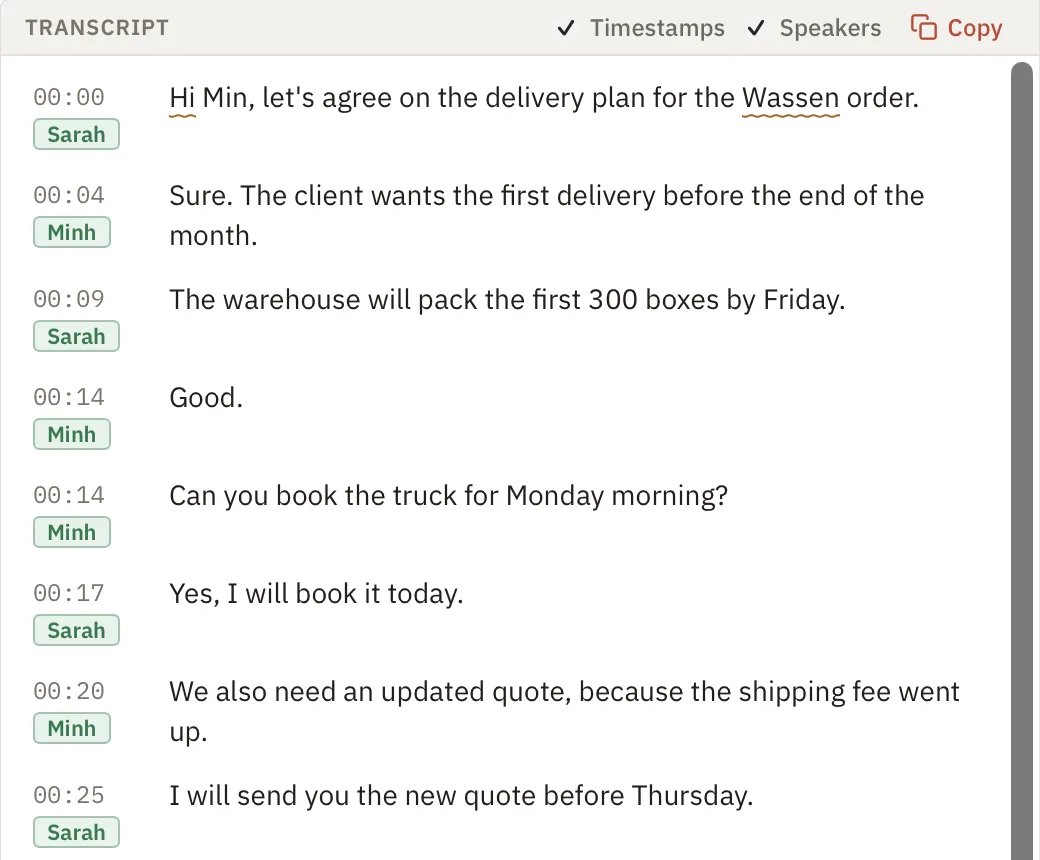
Loxia splits the transcript by speaker. Rename “Speaker 1” to a real name once and the whole transcript updates. Speaker detection uses two small local models (pyannote segmentation and NeMo TitaNet, through sherpa-onnx). TitaNet was trained on English, so I haven’t tested how well it separates speakers in Vietnamese-only recordings.
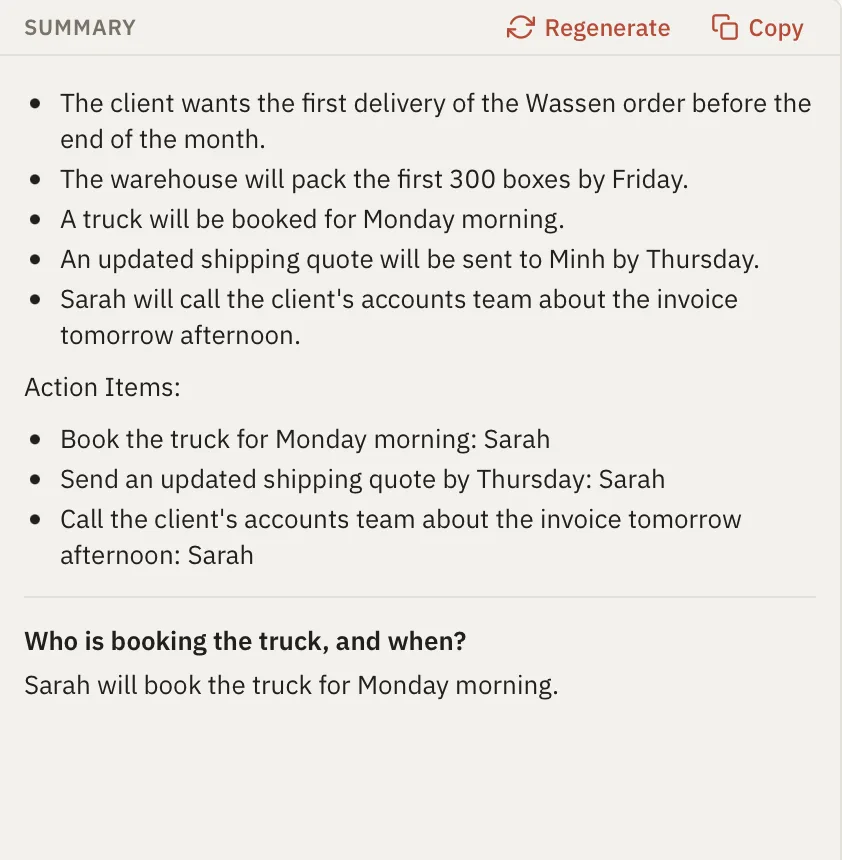
The summary panel writes a summary of the meeting, and you can ask it questions about what was said. That runs on your computer too. A personal dictionary lets you add names and terms, so Loxia spells your colleagues and your jargon correctly.
How it’s built
The core is a Rust workspace split into a domain crate (the transcript format and its rules), an application crate (the use cases), and an infrastructure crate that wraps whisper.cpp, FFmpeg, llama.cpp, and file storage behind interfaces. Three clients sit on the same core: the Tauri desktop app with a SvelteKit and Svelte 5 interface, a command-line tool, and a terminal UI in Ratatui. A transcript is saved as a .lox project file, so the CLI and the desktop app open the same files:
loxia transcribe input.mp4 --model models/ggml-tiny.en.bin --language en --output meeting.lox
loxia speakers meeting.lox --id spk_0 --name Phuc
loxia export meeting.lox --format srt --output meeting.srt
Getting it
Builds are on loxia.dev/download for Mac (Apple Silicon and Intel, macOS 12 or later) and Windows 10 or 11, including a separate Windows build for NVIDIA GPUs. Linux builds are on the way. The app isn’t code-signed by Apple or Microsoft yet, so the first launch shows a security prompt (“Open Anyway” on Mac, “Run anyway” on Windows). Every release ships a SHA256SUMS.txt if you want to check the download.
The source code is private for now. Releases and the issue tracker are on GitHub, and you can also report bugs from inside the app under Settings, Help, Report.